

Screenshots
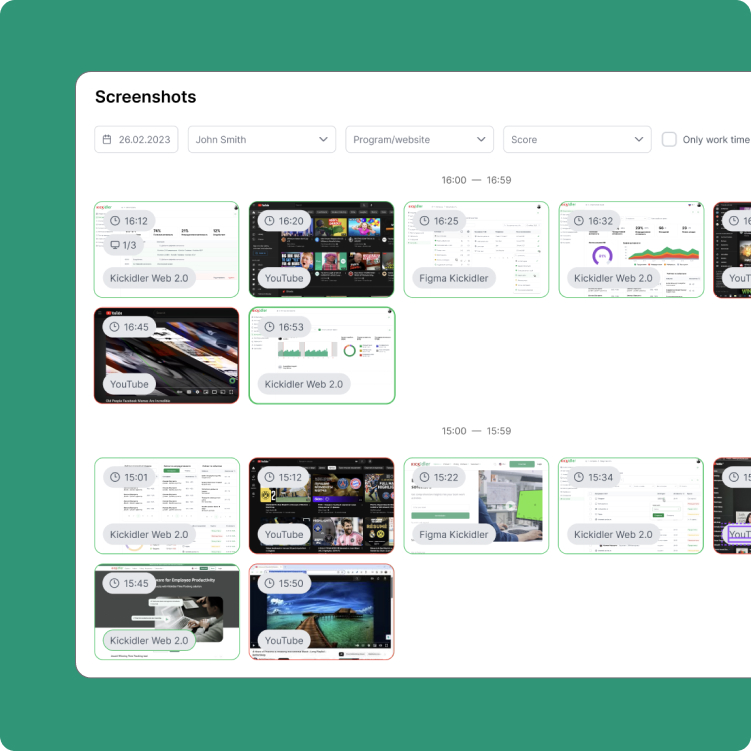
Screenshots add visual context to time tracking without turning review into noise. Managers can control how screenshots are collected and reviewed at the company, department, or employee level.
- Configure screenshot capture frequency
- Review screenshots for a selected day
- Filter by app, website, and activity type
- Limit review to working-hour sessions
- Open screenshots in full-screen view
- Download screenshots when needed
What’s New in 2.0 Version
- Screenshots added to Time Tracking
- Configurable screenshot capture by org level
- Working hours filtering for clean review
- Screenshot collection and storage settings
Live Monitoring
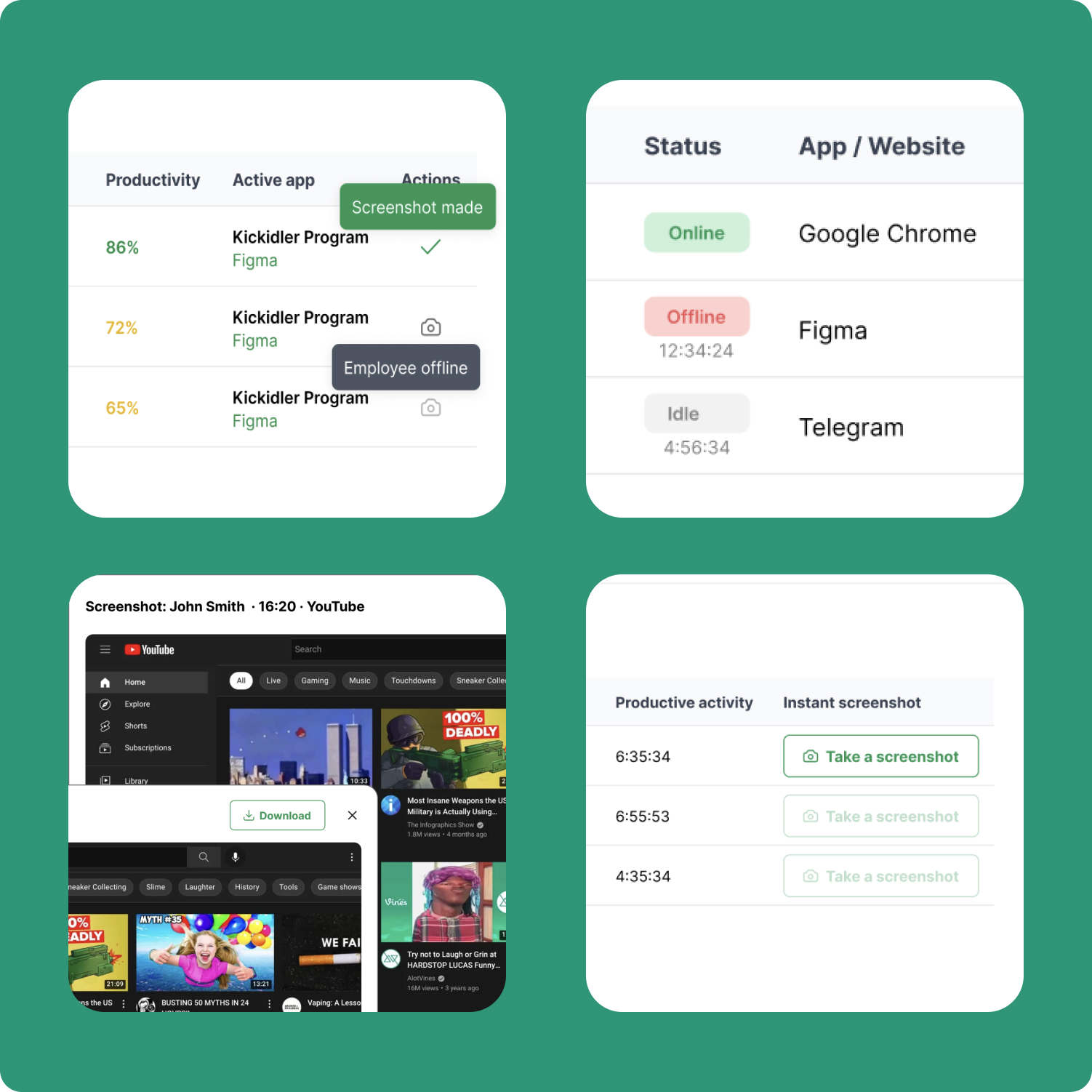
Live Monitoring gives managers a lightweight real-time view into what selected employees are doing right now. It is built for fast operational visibility when immediate context matters.
- See whether employees are online, idle, or offline
- View the current app or website in use
- Track Useful Activity during the day
- Monitor selected employees in real time
- Capture an instant screenshot when needed
What’s New in 2.0 Version
- Live Monitoring added to Time Tracking
- Real-time visibility
- Instant screenshot from the live view
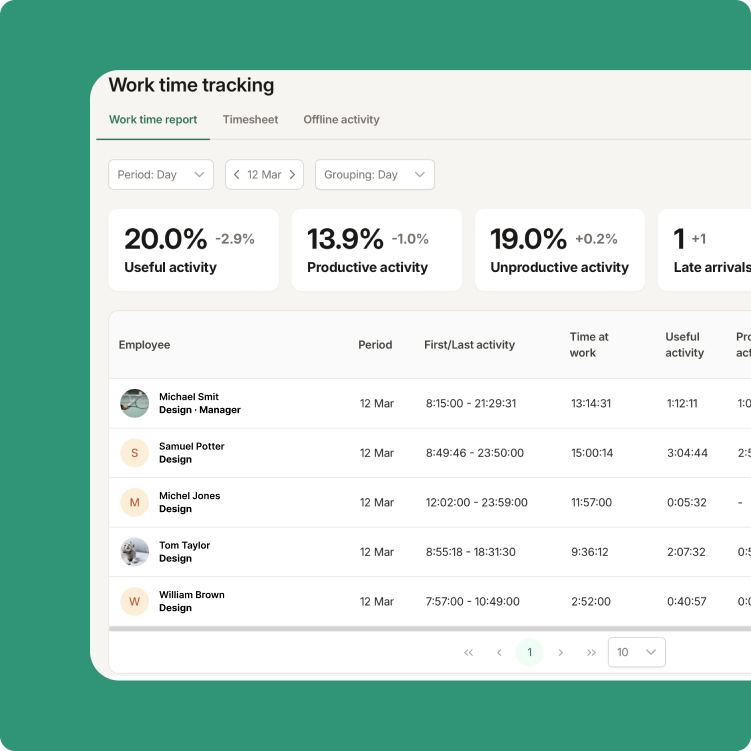
Time Tracking
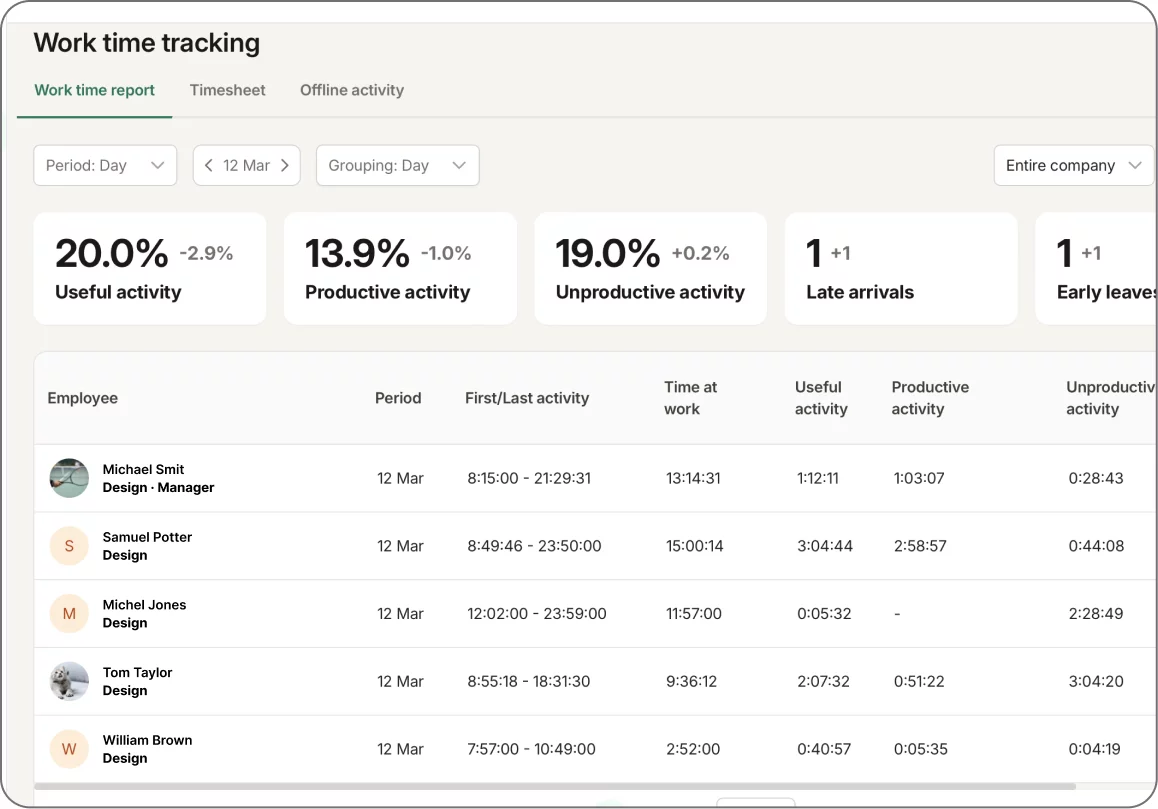
Time Tracking is the core management report for understanding how work time was used across a company, department, or individual employee. It combines productivity data, attendance variations, and offline work into one accountable record.
- Track Useful Activity, productive and unproductive activity
- Review instances of tardiness and early departures
- Analyze results by company, department, or employee
- Use timesheets to review hours and days worked
- Work with both actual time and active time
What’s New in 2.0 Version
- Offline Activity added to Time Tracking
- Ability for employees to submit offline work from the Self-Monitoring interface
- Option for managers to approve, edit, or remove offline entries
- Clear overall view of productive and useful activity
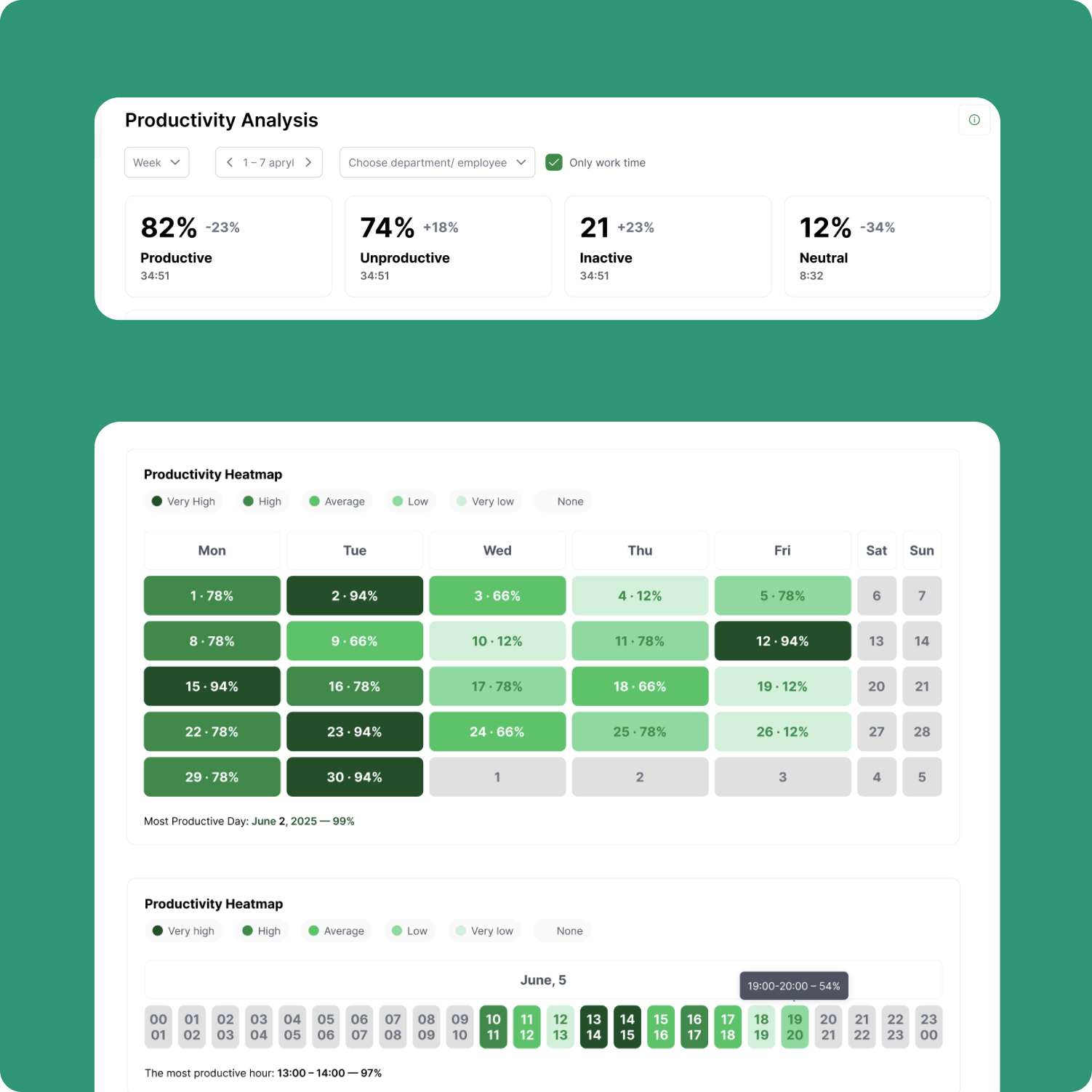
Productivity Analysis
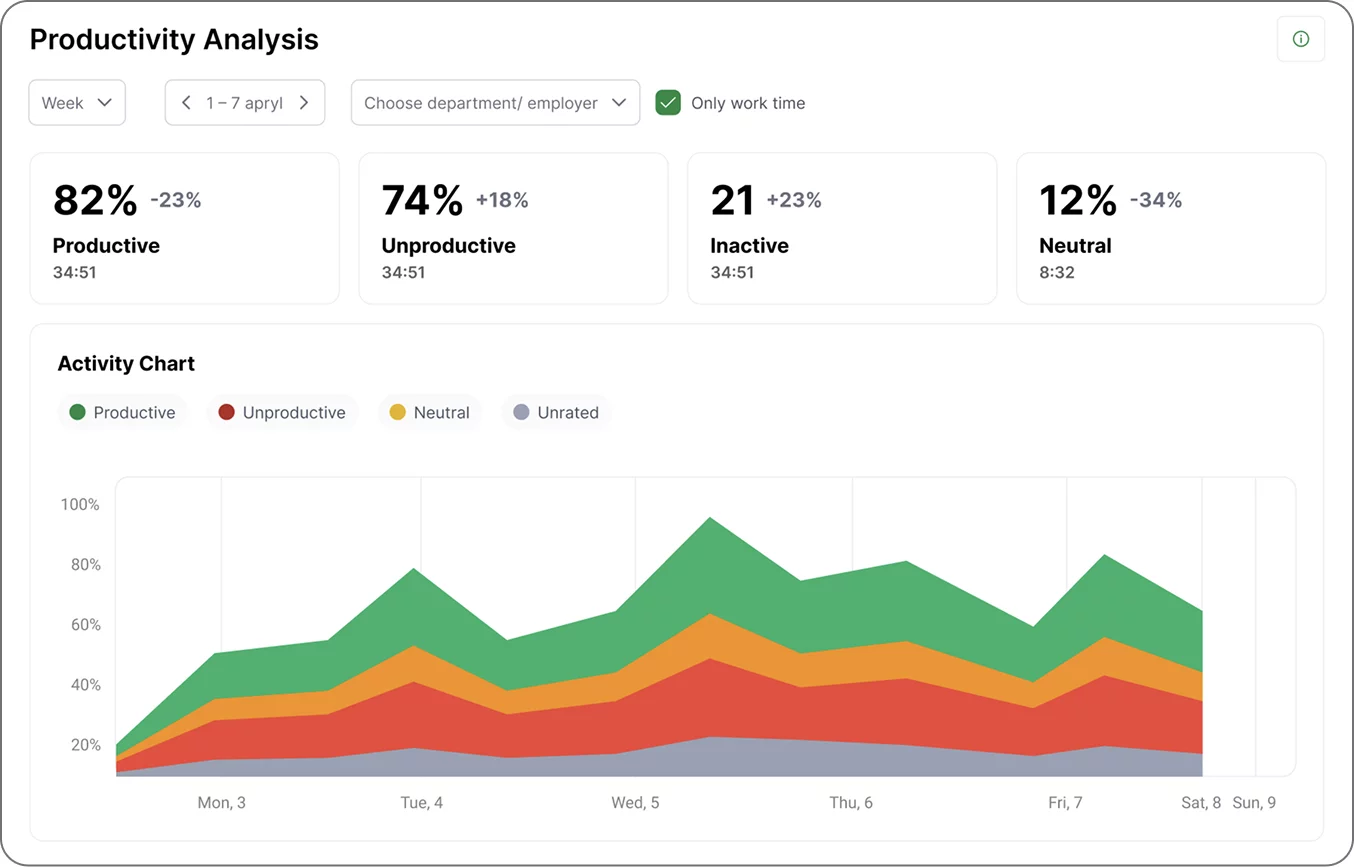
Productivity Analysis helps managers move beyond total numbers and understand patterns over time. It shows where there are fluxes in productivity, times when activity is strongest or weakest, and presents side-by-side comparisons of employees or departments.
- Analyze productive, unproductive, neutral, and idle time
- Review productivity over selected periods
- Identify peak and low-productivity hours
- See employee and department rankings
- Export analysis for operational review
What’s New in 2.0 Version
- Productivity heatmap
- Comparison of employees and departments
- Clear visibility into the most and least productive days and hours
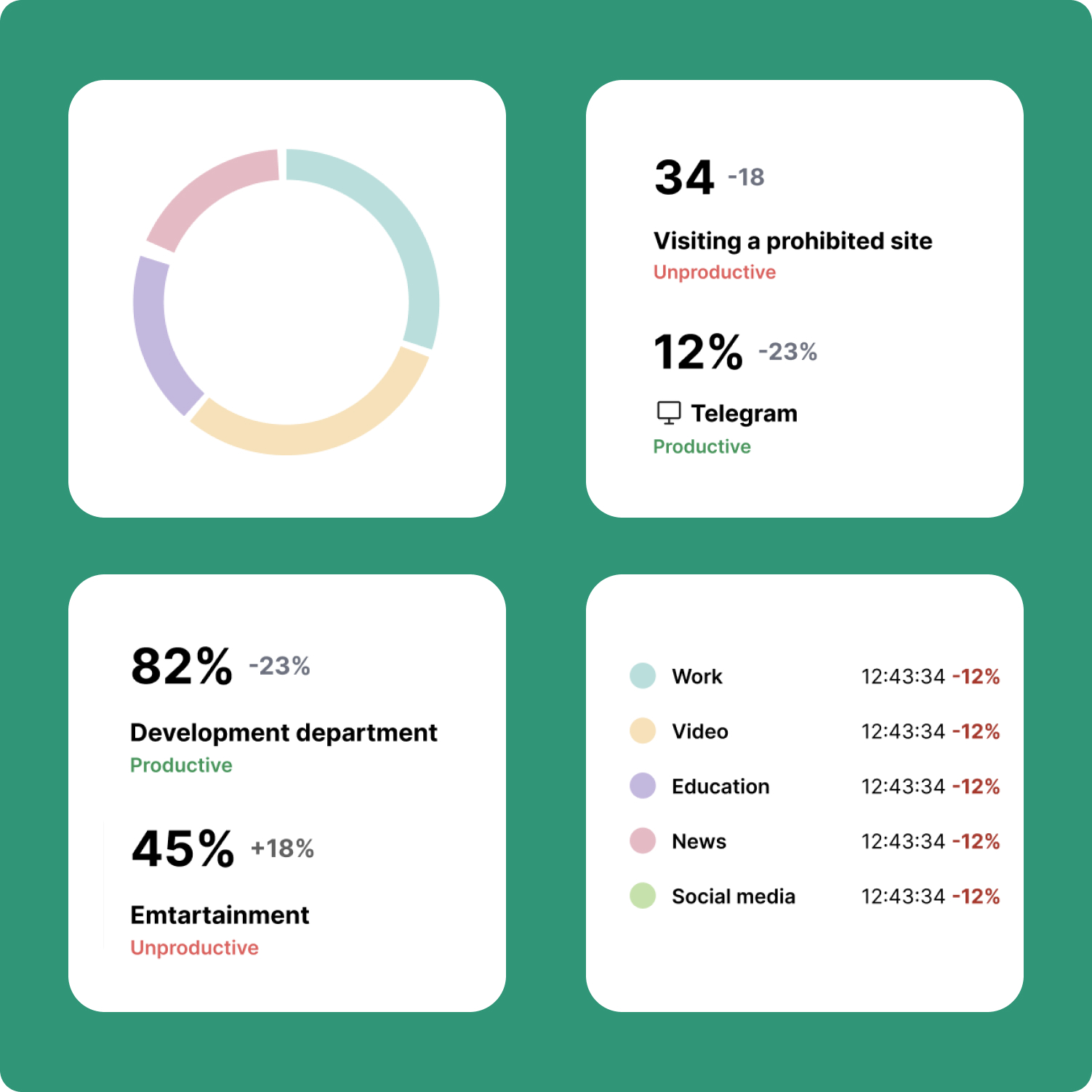
Apps and Websites
Apps and Websites turn tool usage into management context. Instead of just showing what windows were open, it helps managers understand which tools support work, which ones need categorization, and where employee attention is focused.
- Analyze usage by app, website, and category
- Review top tools and detailed usage breakdowns
- Assign uncategorized apps and websites
- Compare usage across selected periods
- Track Focused Activity by app, website, or category
What’s New in 2.0 Version
- Categories for apps and websites
- Faster assignment of uncategorized tools
- Focused Activity added to the report
- Cleaner and more actionable dashboard view
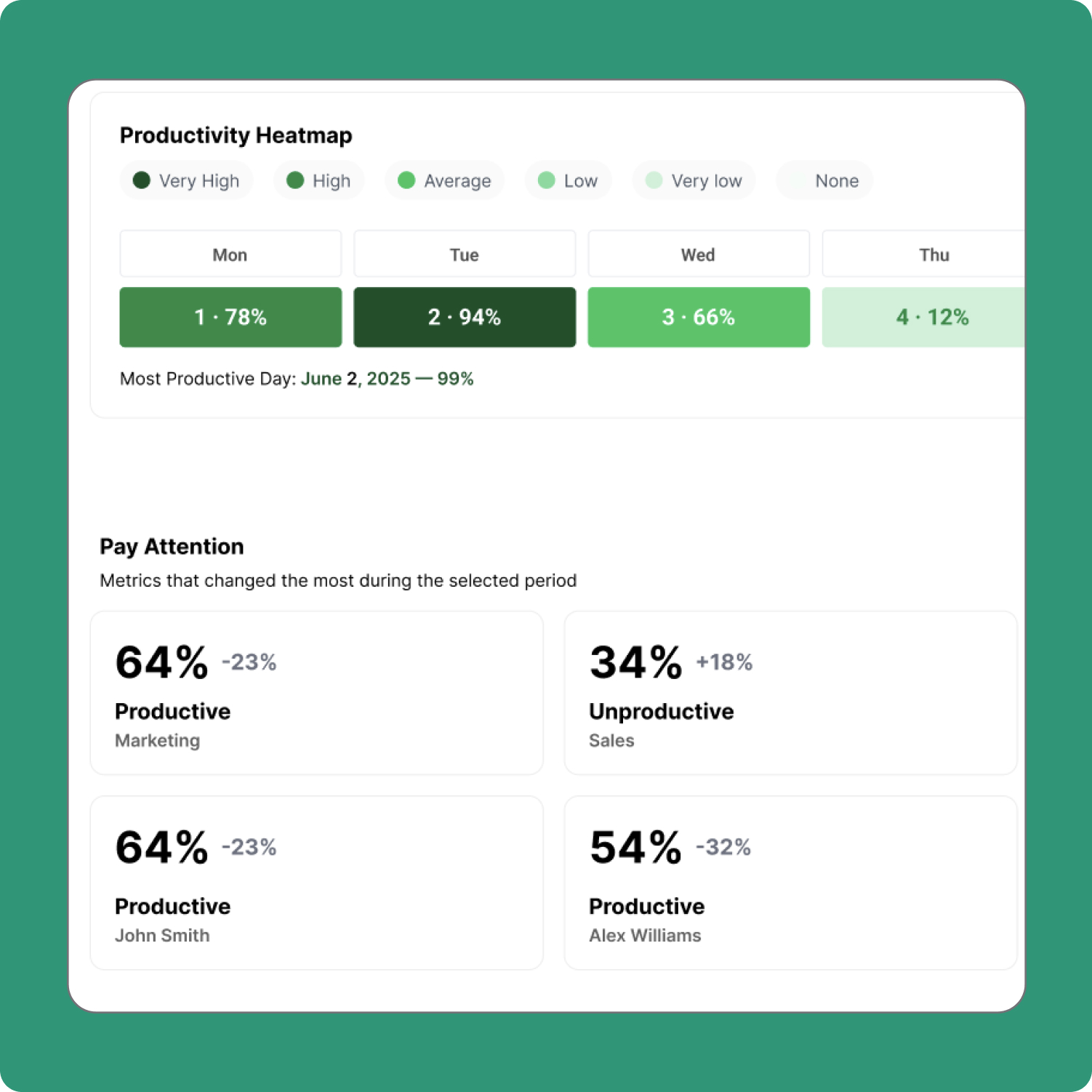
Smart Insights
Smart Insights helps managers notice what’s changed before they start exploring details. It surfaces meaningful shifts in activity so that follow-up can become faster and more focused.
- Highlight notable changes in employee and team activity
- Surface trends worth deeper review
- Make daily analysis more targeted
- Help managers prioritize follow-up faster
What’s New in 2.0 Version
- A stronger insight layer across updated reports
- Better visibility into changes and usage patterns
- Clearer starting point for deeper analysis
Events & Notifications
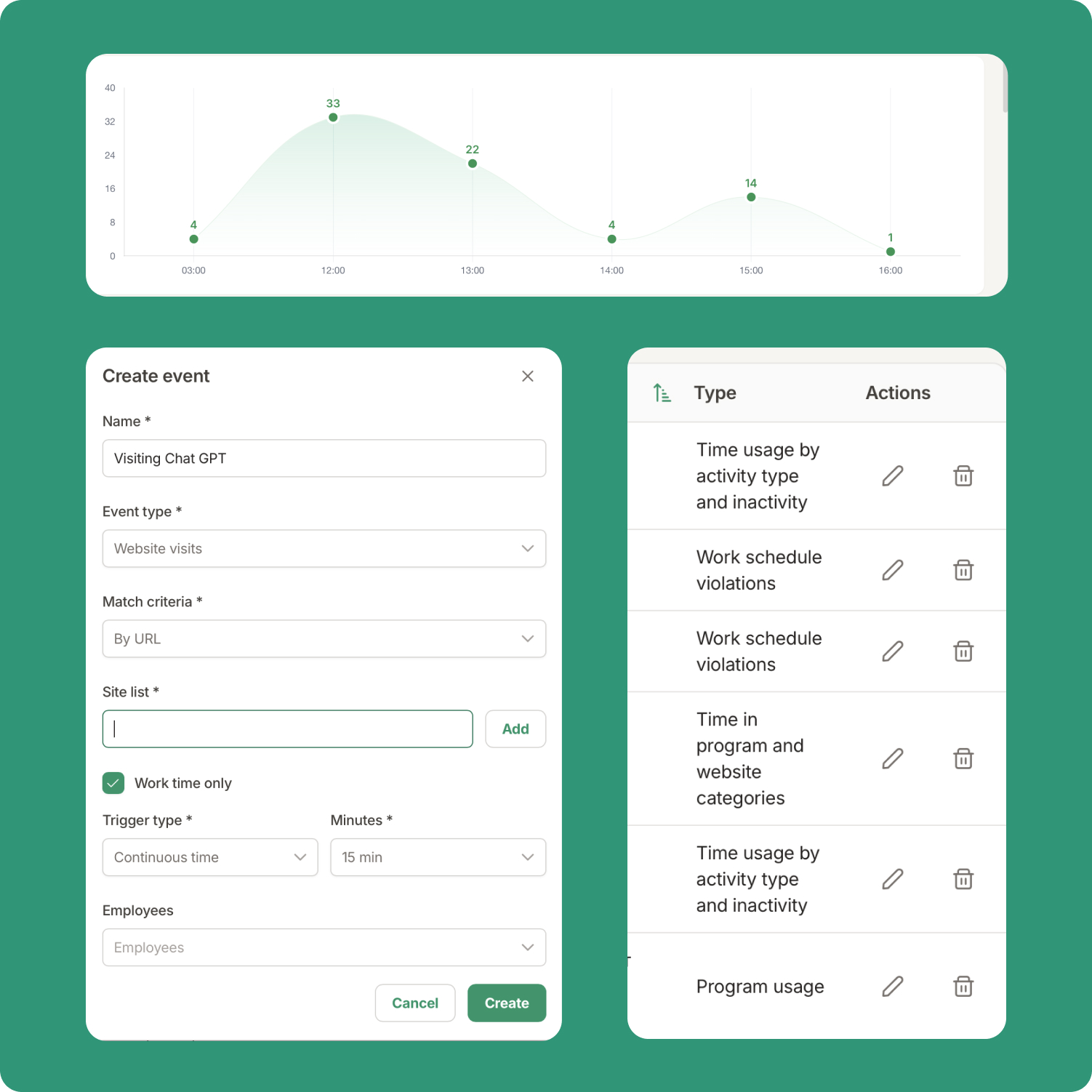
Events & Notifications turns important deviations into workflows teams can act on. Managers can define event rules, assign them to employees or departments, and control how both employees and managers are notified.
- Create and manage event rules
- Assign events to employees or departments
- Notify employees when a rule is triggered
- Send alerts to managers
- Use rules based on schedules, activity, apps, websites, categories, or titles
- Use rules based on schedules, activity, apps, websites, categories, or titles
What’s New in 2.0 Version
- More flexible event assignment logic
- Capture screenshots on event trigger
- Stronger support for inherited and individual assignments
Productivity Dashboard
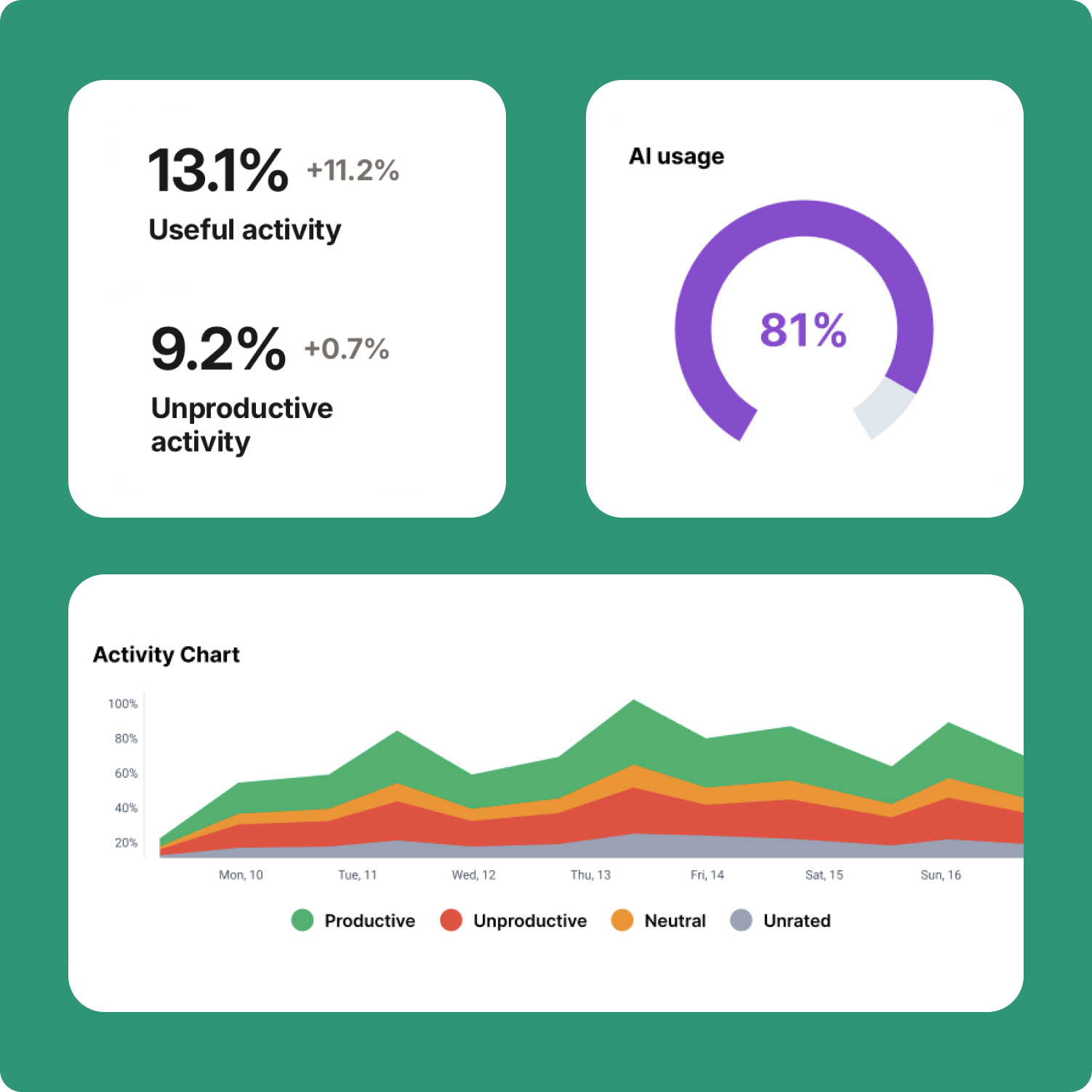
Your starting point for all workplace insights. The dashboard gives managers a unified place to begin, combining key productivity and attendance insights that matter most for day-to-day monitoring.
- See key productivity and attendance metrics in one place
- Track changes versus the previous period
- Identify employees or teams that need additional attention
- Move quickly from basic overview to detailed reports
- Start daily review with a clear operational snapshot
What’s New in 2.0 Version
- A clearer top-level view across core reports
- Better visibility into changes and exceptions
- Faster movement from summary to deeper analysis
Improved Settings
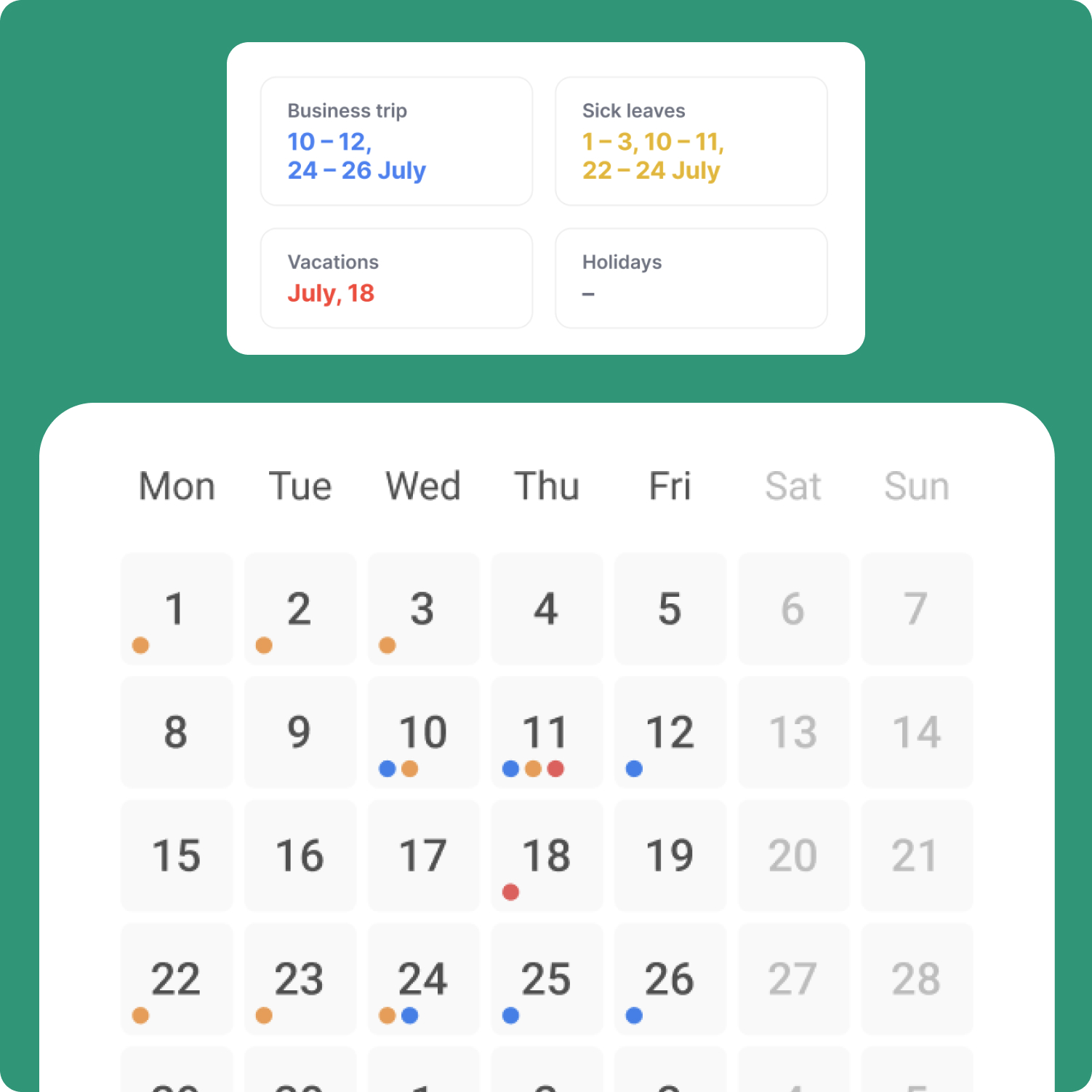
KeepActive 2.0 gives admins a more practical overview into how the system works across the organization. Settings can be managed at the company, department, and employee level, with the flexibility to inherit or override policies where needed.
- Manage role-based access for admins, managers, and employees
- Configure company, department, employee, and session structure
- Set schedules, breaks, lateness, early departures, and absences
- Control time zones, time formats, and working-day settings
- Manage screenshot collection and data retention settings
- Apply custom branding across the platform
What’s New in 2.0 Version
- Stronger inheritance logic across all levels
- More flexible admin control for screenshots and self-monitoring
- Better schedule and time-zone management