v11.3.3651 (build: May 13 2026)
Common recommendations
The information below is only for the server part on Windows OS!If you receive an error about unsupported UTF-8 encoding at the beginning of the installation, you should:
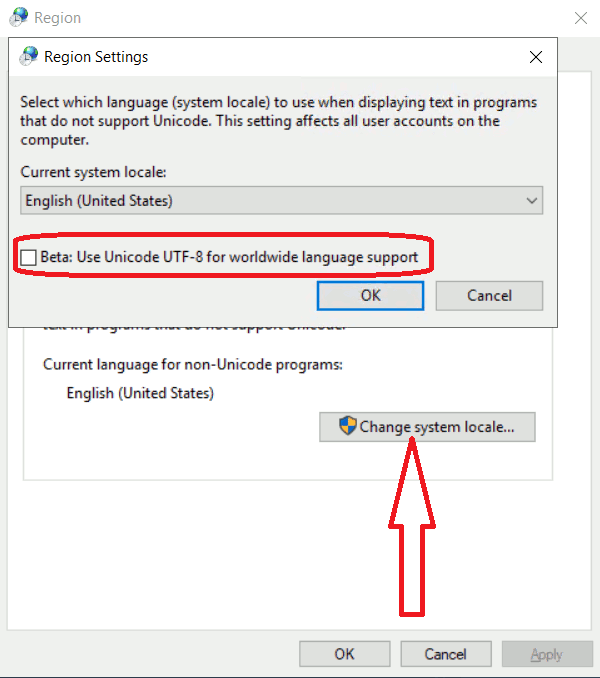
- execute the settings intl.cpl from the Run window (Win+R) or cmd;
- on the "Administrative" tab, click the "Change System Locale" button and then uncheck "UTF-8" checkbox;
- restart the computer.